
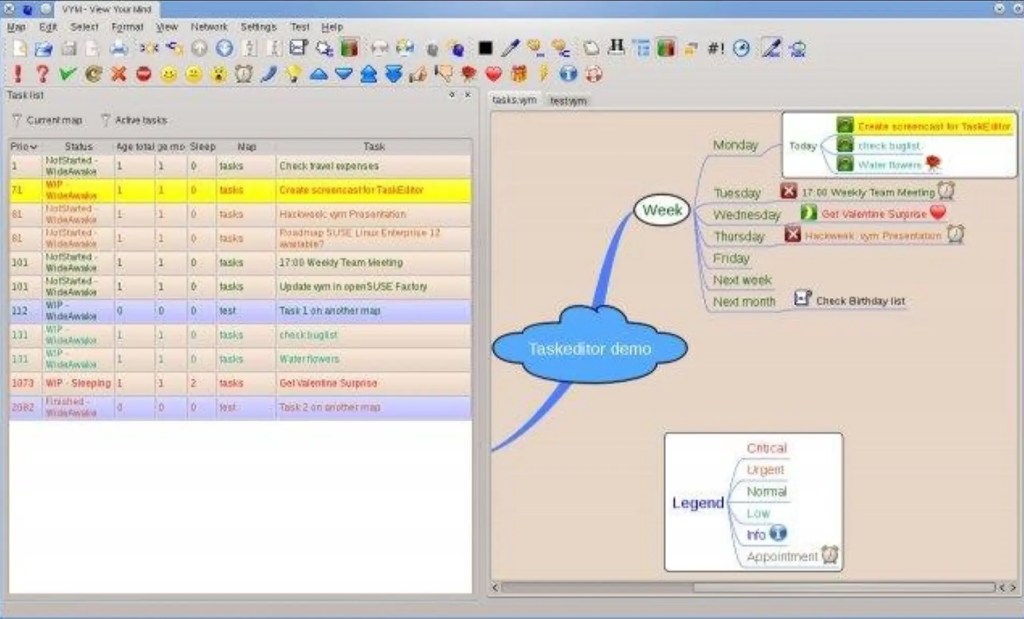
If you’re in search of a tool to help you untangle your thoughts, organize tasks, or map out complex projects, VYM (View Your Mind) might just be what you need. This open-source, cross-platform mind mapping software is packed with features to assist users in capturing and managing ideas in a visually intuitive way. Whether you’re a student, researcher, or professional, VYM has something to offer.
What is VYM?
VYM is a dedicated mind mapping tool that runs on Windows, Linux, and macOS. It’s perfect for anyone dealing with complex information, brainstorming sessions, or project management. Think of it as your digital whiteboard for turning chaos into clarity.
For beginners, VYM is relatively user-friendly, though there are some quirks you might need to get used to. Its graphical interface is intuitive, with drag-and-drop support and straightforward node creation and editing. This means you can jump right in without too much of a learning curve. That said, don’t expect hand-holding—there’s no step-by-step tutorial, and the blank canvas when you first open the app might feel a little intimidating. Some of the more advanced features, like keyboard shortcuts or custom styles, require a bit of exploration to master.
But here’s the good news: if you’re willing to spend a little time getting familiar with the interface, VYM is a lightweight yet powerful tool that’s perfect for organizing complex information or brainstorming new ideas. For fans of open-source software who value flexibility and customization, this tool is a gem.
Fair warning, though: the interface leans more toward a traditional, old-school software aesthetic rather than sleek, modern designs. If you’re someone who prefers apps with a polished, design-heavy look, VYM might feel a bit plain. But don’t let the appearance fool you—it’s the functionality that counts.
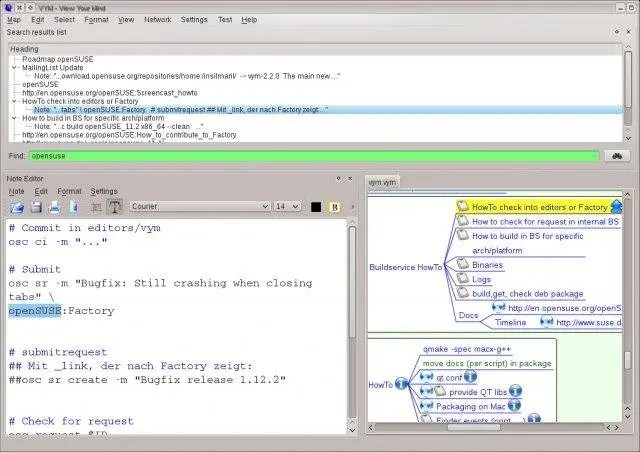
What Makes VYM Stand Out?
At its core, VYM’s mission is simple: help users organize information in a more efficient and creative way using tree-structured mind maps. Unlike traditional note-taking tools, VYM emphasizes graphical representation and relationships between ideas, making it easy to adjust and rearrange content on the fly.
Key Features and Highlights
Here’s a closer look at what VYM brings to the table:
1. Flexible Mind Map Creation and Editing
- Supports multiple node types, including text, images, and links.
- Drag-and-drop functionality makes rearranging elements a breeze.
- Keyboard shortcuts let you quickly add sub-nodes or tweak node properties.
- Customizable line styles, colors, and layouts allow for personalized maps.
2. Export Options Galore
- Export your mind maps in a variety of formats, including PDF, PNG, SVG, as well as XHTML or ASCII for further editing.
- This is especially handy for presentations or documents, though keep in mind that some formats may lose a bit of styling during export.
3. Cross-Platform Compatibility
- VYM runs smoothly not only on major desktop operating systems but also on devices like Raspberry Pi, making it adaptable to diverse work environments.
4. Lightweight and Open Source
- Built on the Qt framework, VYM is lightweight and runs efficiently without hogging system resources.
- Licensed under GPL, the software is completely free to download, use, and even modify.
Practical Use Cases
Here are some ways you can integrate VYM into your workflow:
- Academic Research
Students can use VYM to outline essays or research papers, organize study notes, and break down complex topics into manageable chunks. - Project Management
Professionals will appreciate how VYM can help create task lists, set priorities, and visually track project progress using colors or icons for status indicators. - Brainstorming
In team settings, VYM serves as a powerful brainstorming tool, allowing for quick idea generation and easy linking of related concepts.
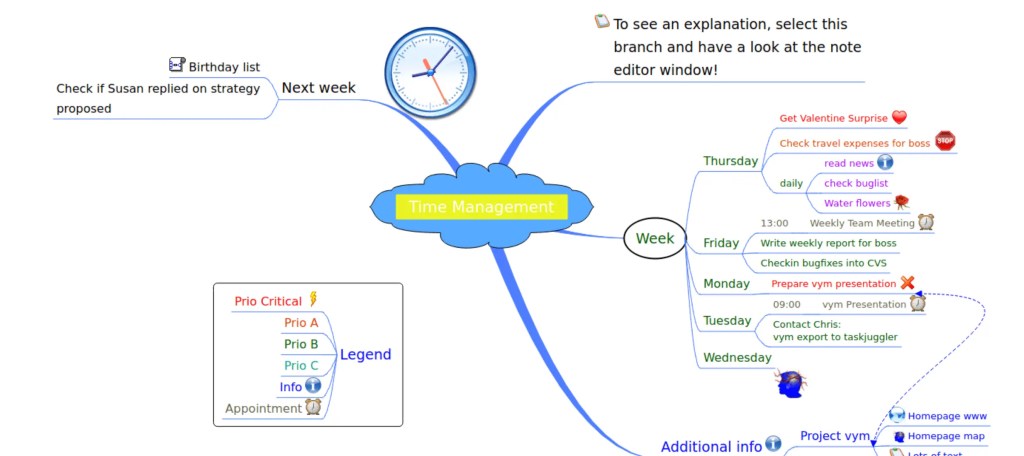
Pros and Cons of Using VYM
Pros:
- Intuitive interface that’s easy to get the hang of.
- Supports multiple tabs, so you can work on several projects at once.
- Extensive export options cater to different use cases.
- Lightweight and won’t bog down your system.
Cons:
- Export quality (especially for PDF and PNG formats) is sometimes less than ideal.
- Beginners may need time to adapt to the software’s unique workflow.
- Lacks some of the advanced features found in commercial tools like XMind.
- The interface design feels dated compared to modern alternatives.
How Does VYM Compare?
Let’s see how VYM stacks up against some popular mind mapping tools:
| Feature | VYM | XMind | FreeMind |
|---|---|---|---|
| Open Source | ✅ Yes | ❌ No | ✅ Yes |
| Export Formats | Diverse, but with some quality issues | High-quality and diverse | Limited |
| Interface Complexity | Simple and intuitive | Feature-rich but more complex | Basic but limited |
| Cross-Platform Support | ✅ Windows/Linux/macOS/Raspberry Pi | ✅ Windows/macOS/Linux | ✅ Windows/macOS/Linux |
VYM’s strength lies in its lightweight, open-source nature, making it ideal for users who value customization and don’t want a resource-hungry tool. While it may lack the polish or advanced features of tools like XMind, it’s a great choice for those who prefer simplicity and flexibility.
Final Thoughts: Is VYM Right for You?
If you’re on the hunt for a free, practical mind mapping tool that doesn’t skimp on features, VYM is worth a try. It’s particularly well-suited for users who need to organize complex information or brainstorm ideas in a lightweight, no-frills environment. The open-source nature makes it a great pick for tech-savvy users who appreciate the ability to tweak and customize their software.
However, if high-quality exports or advanced features are a must-have for your workflow, you might want to explore other commercial options like XMind.
Overall Rating: 8/10
Curious to give VYM a spin? You can download the latest version through its GitHub page or SourceForge. Happy mapping!
SourceForge
https://sourceforge.net/projects/vym/



 My Own Sys
Leave a comment