

Apple Notes is a built-in application that seamlessly integrates into the Apple ecosystem, making it a rare and practical tool. Compared to native apps on Windows or Android, Apple Notes easily outshines its competitors.
There’s a meme floating around online (see image): both novices and experts use Apple Notes, while only those in the middle fiddle with a bunch of note-taking tools.
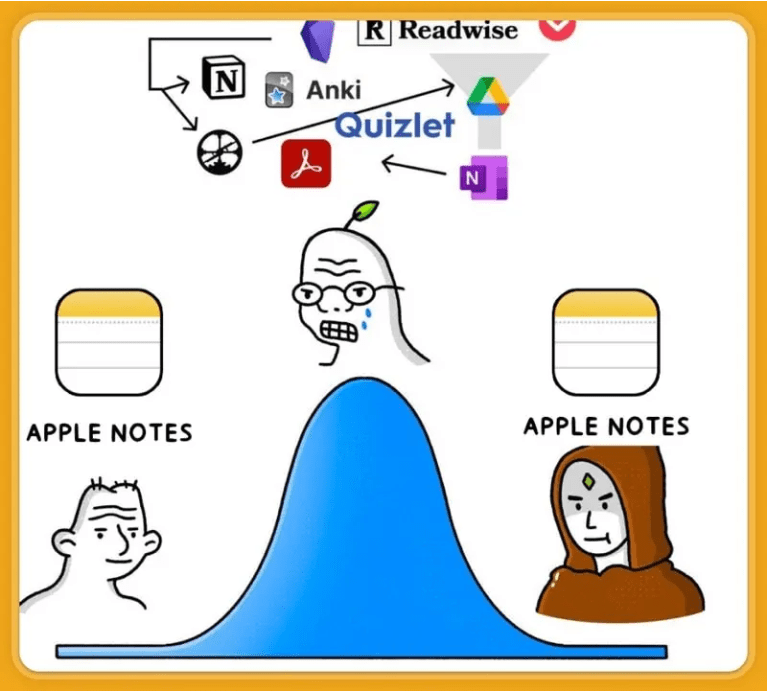
However, many have recently started to reflect on Apple Notes. It’s an almost perfect entry-level tool but struggles to perform in more specialized areas. After all, Apple’s native products are not designed for professional users; they aim to popularize Apple products among beginners and support a wide range of scenarios.
Reflecting on the Shortcomings of Apple Notes
A Medium author, AI Rabbit, highlighted several important limitations of Apple Notes in an article titled “Goodbye Apple Notes.”
- Lack of URL Linking to Specific Notes: One frustrating limitation is the inability to create direct links to specific notes, complicating cross-referencing.
- No Note History for Restoration: The absence of version history means accidental deletions or changes can cause irreversible damage.
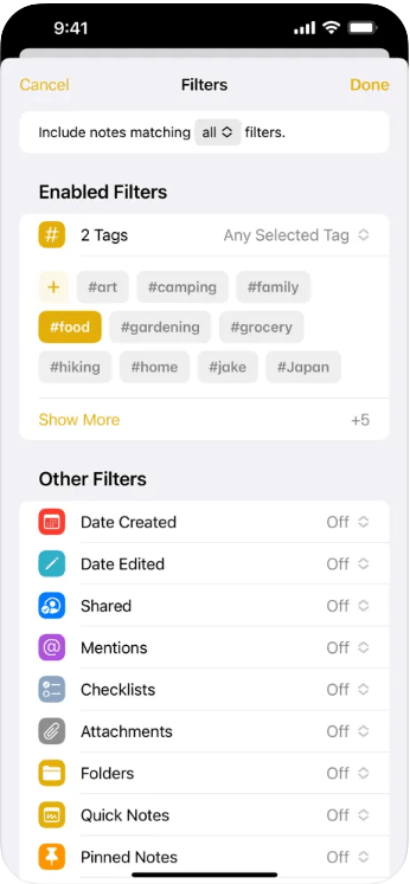
- Advanced Search: Apple Notes lacks advanced search features like filters and Boolean operators, making precise searches nearly impossible. (Note: Apple Notes does have tag searches, date grouping, and smart folders, which are quite good if we’re honest—let’s not be too harsh.)
- Closed Source and Proprietary Format: Apple Notes locks users into a proprietary format, complicating any bulk export or note selection efforts.
- Performance Issues: Over time, Apple Notes tends to slow down, potentially hindering productivity.
I’ve personally noticed that Apple Notes is continually improving. For instance, the “latest notes” feature, which was highly requested, is now a standard configuration. Markdown syntax has also been indirectly supported (though not fully rendered), and the backlink feature has been improved (but only within Apple apps).
The Real Issue: Closed Ecosystem
For me, the most critical problem is the “closed ecosystem” which prevents Apple Notes from being an archiving tool and limits it to being a temporary record keeper. Anyone who’s tried to export Apple Notes in bulk knows the frustration. This closed format means you can never quickly “jump ship,” likely committing you to the Apple ecosystem for the long haul (a concept known as Vendor Lock-In). My use of Apple devices is mostly for the convenience of the ecosystem. Once you’re in, it’s hard to leave (I can’t even imagine how to deal with all those iCloud photos if I ever switch). This is evident from Apple Notes.
Where Apple Notes Shines
I personally use Drafts for quick notes, so Apple Notes ranks low for me and could be deleted without much impact. I use Drafts for three basic reasons:
- Quick Capture: Instantly usable without extra steps, and it responds quickly.
- One-Click Export: Easily send to other note-taking apps, calendar, clipboard, or an iOS shortcut.
- Tag Filtering: Use Drafts as a temporary text repository.
Nevertheless, Apple Notes isn’t useless for “temporary records.” If you have the following needs, you might like it:
- Handwriting and Drawing Support: Exceptional in this area. For heavier needs, Apple’s FreeForm is the go-to.
- File Attachments: Syncs within the Apple ecosystem and acts as a handy file collection, despite limited search and filtering.
- Scanning and Annotation: Many recommend scanning book pages into Apple Notes and highlighting them.
- Voice Memos and Transcription: Recordings, voice input, audio file import, and transcription capabilities (though transcription requires the latest version and AI support).

Building Your Own System
Apple provides various conveniences, and Apple Notes is just a small part. The aim is to gradually guide users towards an all-in Apple approach—not necessarily a bad thing, as many companies aim for this kind of integration.
In short, if you don’t mind some Apple premium and enjoy fewer hassles, feel free to use it. Or, while enjoying Apple services, keep some backups and archives to maintain control over your data. Aim for a relationship of “use” rather than “reliance” on Apple, which is a healthy approach to managing tools and technology.




 My Own Sys
Leave a reply to Efficient Ways to Export Apple Notes – My Own Sys Cancel reply